
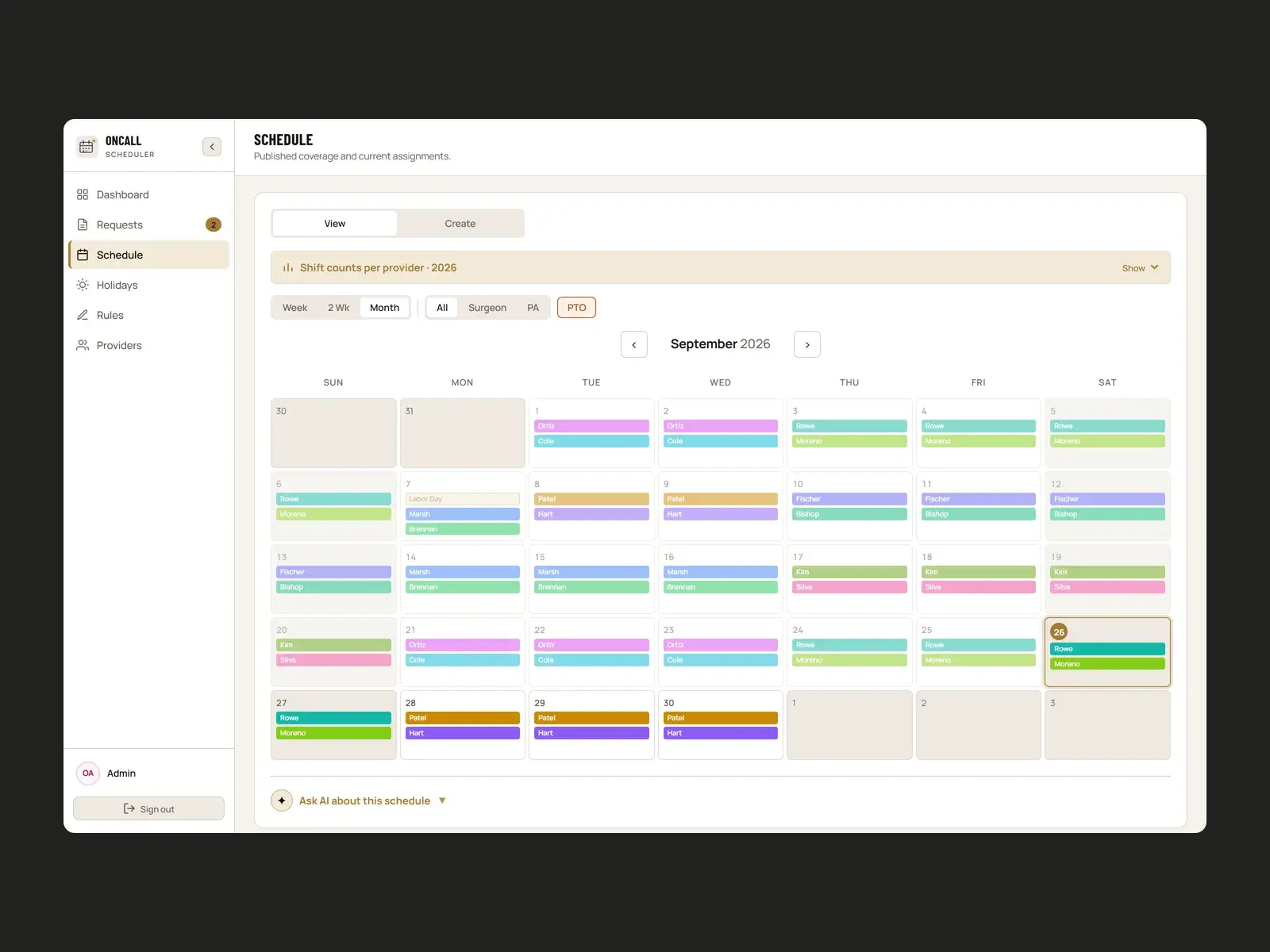
The Problem
Building an on-call calendar for a surgical practice means balancing a lot at once. Surgeons and PAs have different eligible days. PAs are usually paired with a particular surgeon. Weekends and holidays have to rotate fairly over years, not just months. Approved time off has to be respected.
Doing that by hand in a spreadsheet takes hours. It's hard to defend when someone asks why they got Thanksgiving again, and one PTO request can mean redoing everything.
The Approach
We turned the practice's unwritten rules into rules the software can read and enforce. Admins manage providers, time off, holidays and scheduling rules in one place. The scheduler builds the calendar from those inputs, and nobody has to drag names into cells.
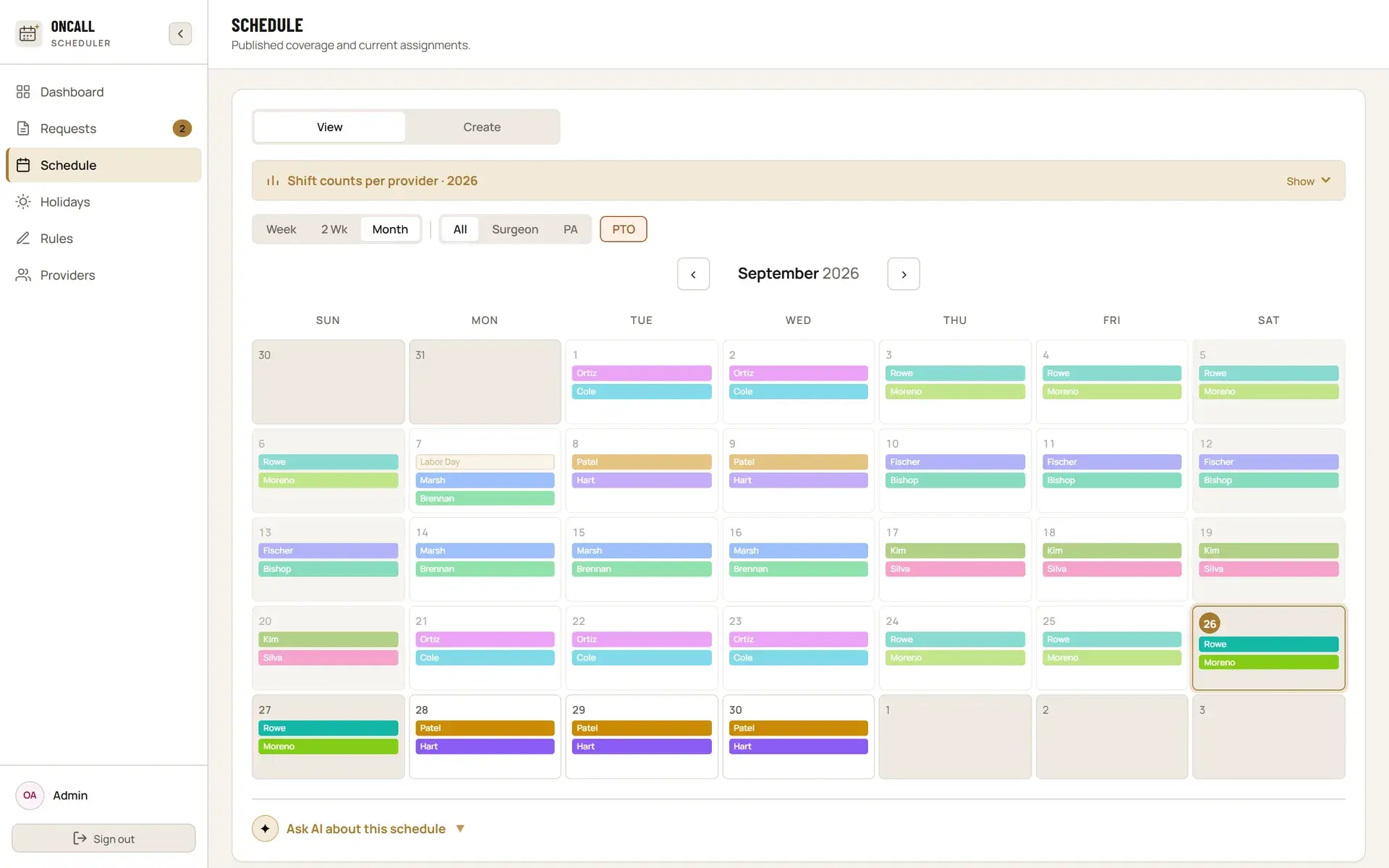
How It Works
- Rules engine. Each rule is typed and weighted: fairness targets, minimum gaps between shifts, count and consecutive-shift limits, PA–surgeon pairing and eligibility. Admins can make a rule a hard constraint or a softer preference.
- Constraint solver. A Python service uses Google OR-Tools (CP-SAT) to solve the whole date range at once, instead of filling it one day at a time. It can return several candidate schedules for the admin to compare.
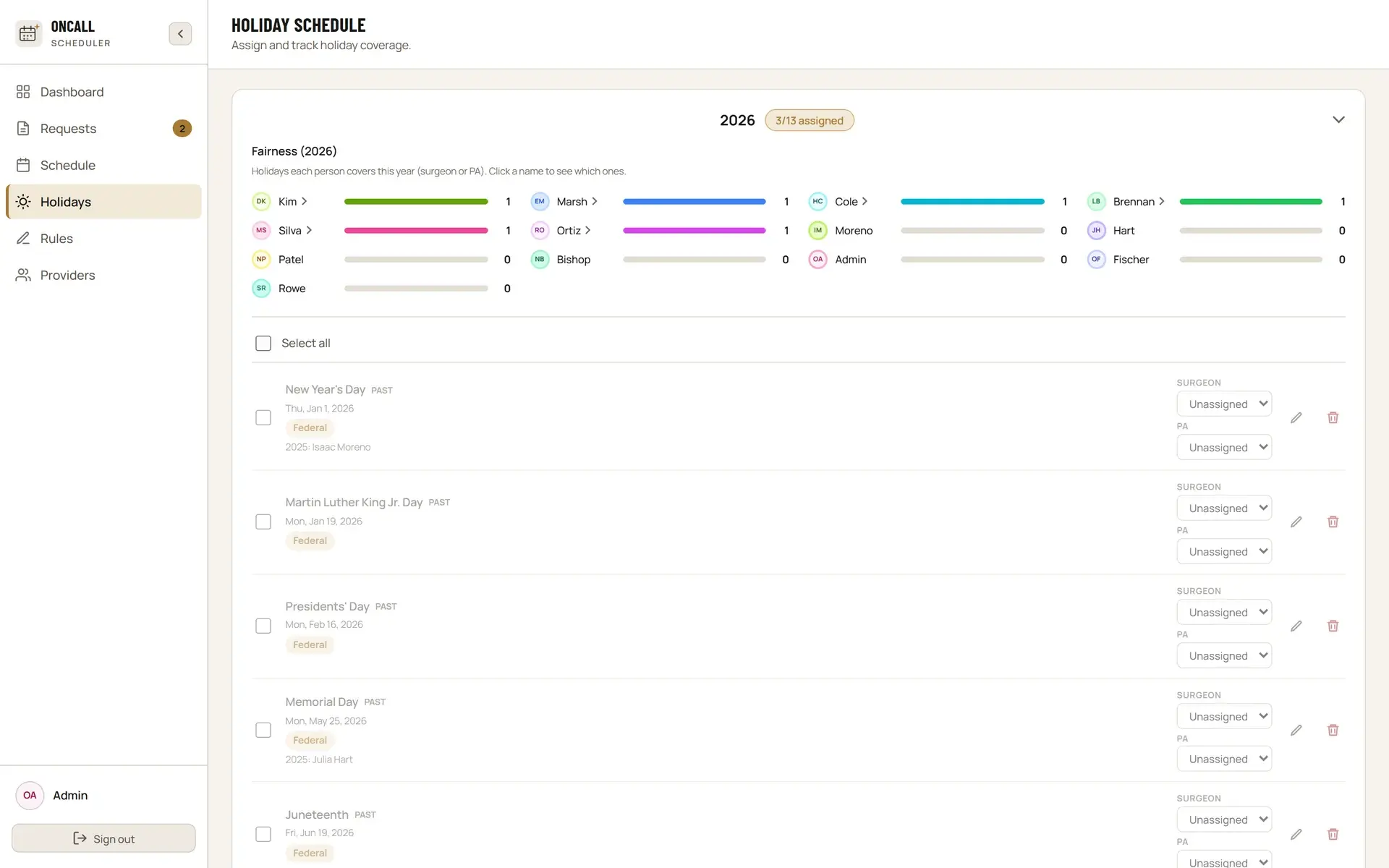
- Holiday memory. Holiday assignments go to a permanent history, so rotations stay fair across years, not just within one.
- AI assist. Claude drafts new rules from plain-English descriptions, checks existing rules for conflicts, and answers questions about why a schedule came out the way it did.
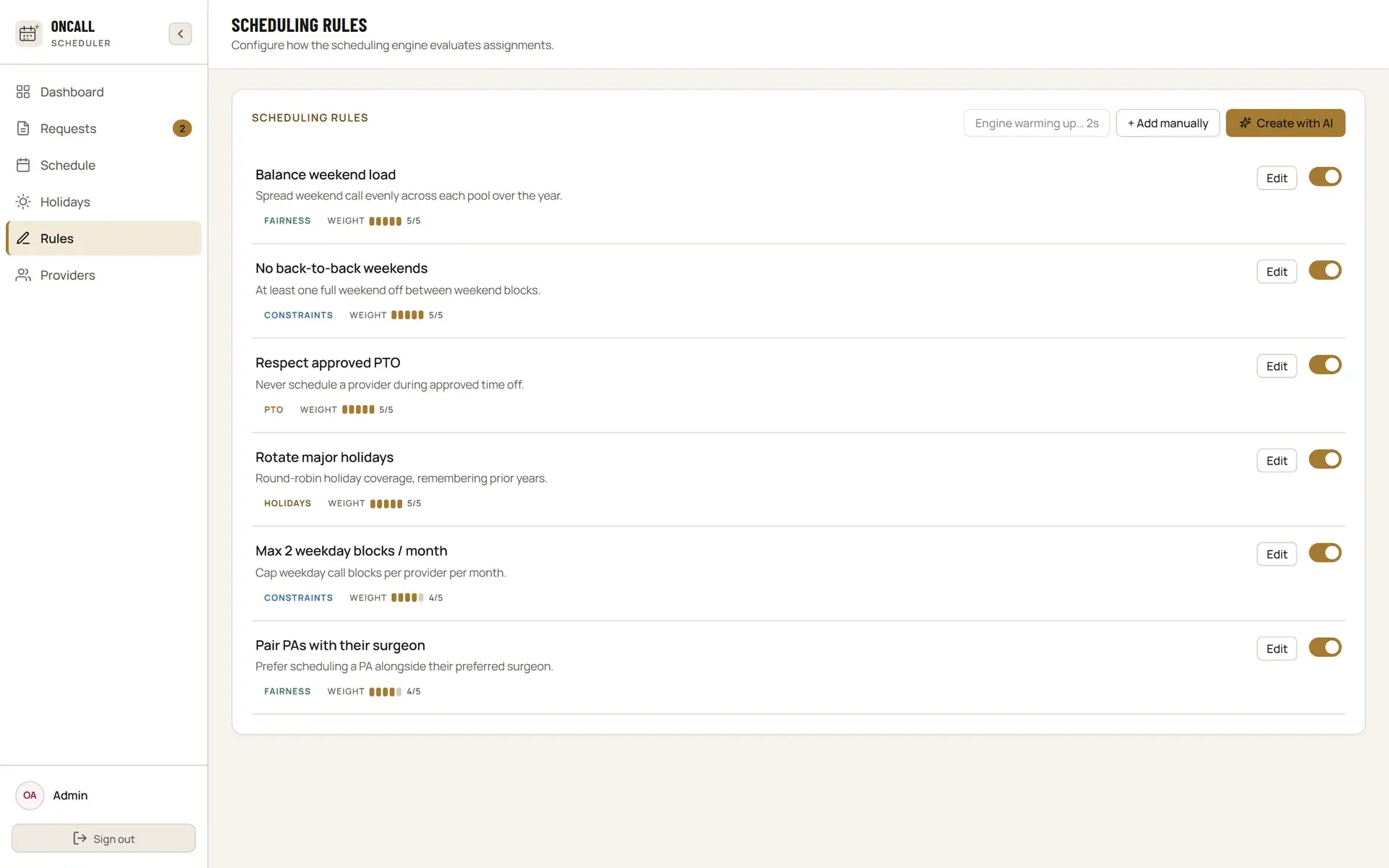
Product Experience
The dashboard shows what needs a decision: pending time-off requests, unassigned holidays and messages. Everything else stays out of the way until it's needed.
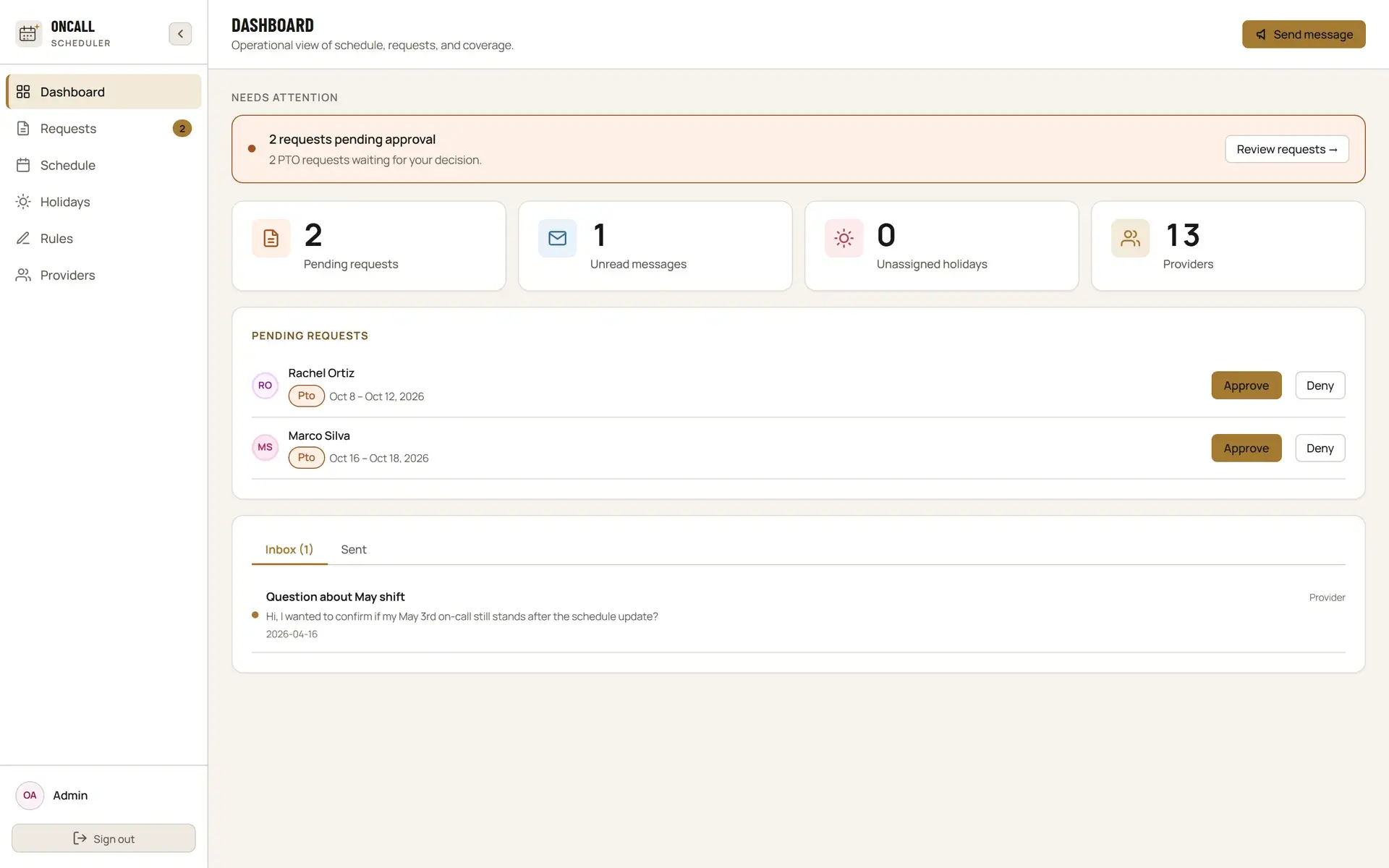
Technical Build
React and Vite on the front end, Supabase (Postgres, auth and row-level security) for data, and Netlify Functions for the AI features. The solver runs as a separate FastAPI service so heavy scheduling runs don't block the app. Every schedule run is logged and replaced runs are kept, so any published calendar can be traced back to the run that produced it.
Outcome
Live and in use. The practice's admins build and publish their real on-call schedules in it, and development continues alongside them. Names and figures in these screenshots are sample data.