Skip to content

Case Study

Referee Scheduler

A shared place for referees to claim games and record results, with a live staffing view for the assignor.

Copper Mountain Soccer logo
Built for
Copper Mountain Soccer
Status
Prototype
Year
2026
Capabilities
Custom Apps
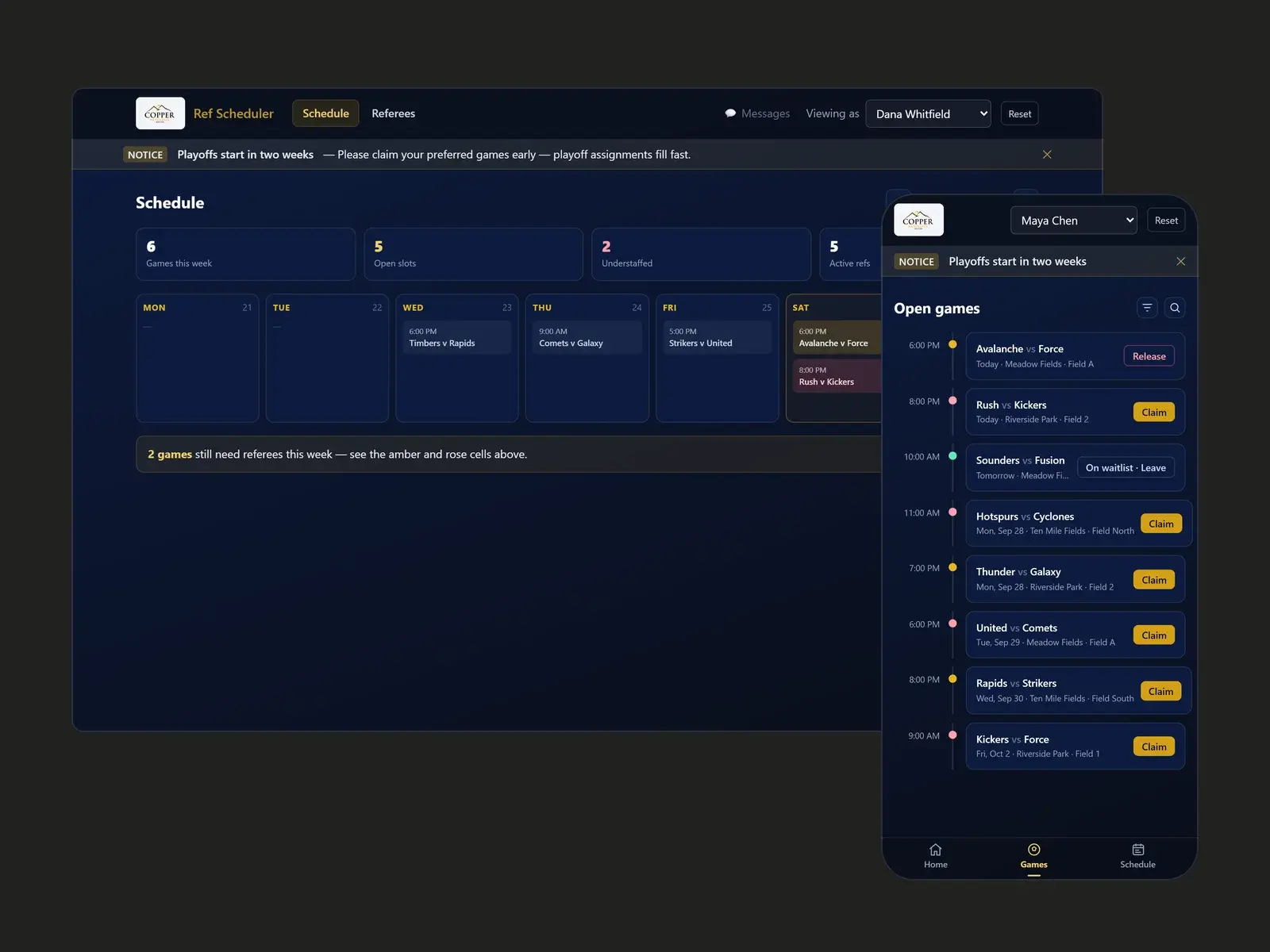
Referee Scheduler interface

The Problem

Copper Mountain scheduled its referees through a shared document. Referees added their names to games, the assignor checked who was missing, and scores and attendance were tracked somewhere else. It was hard to see which games were short-staffed until close to kickoff.

The Approach

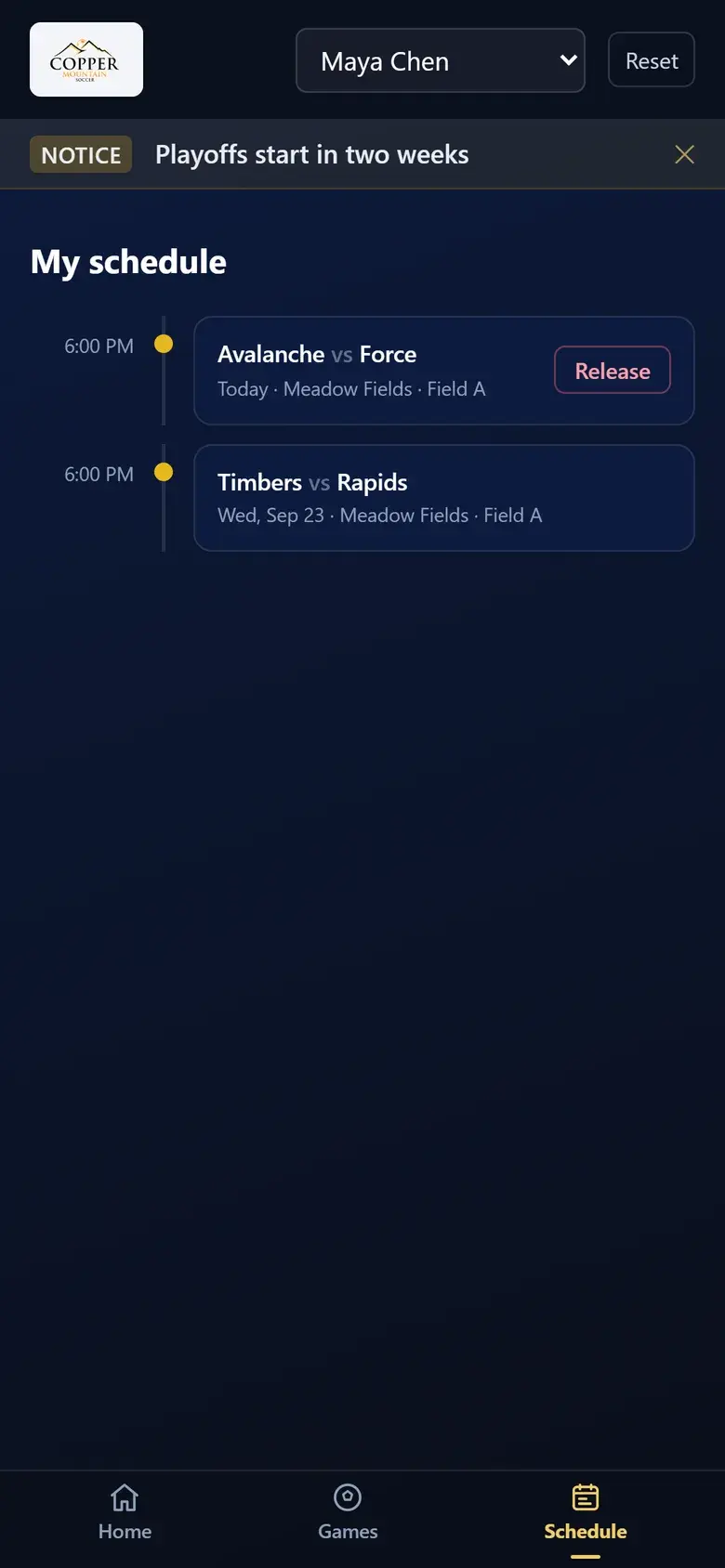
We built a clickable prototype around three simple loops. Referees browse and claim games. The assignor sees staffing at a glance. After the game, the referee records the score and who showed up.
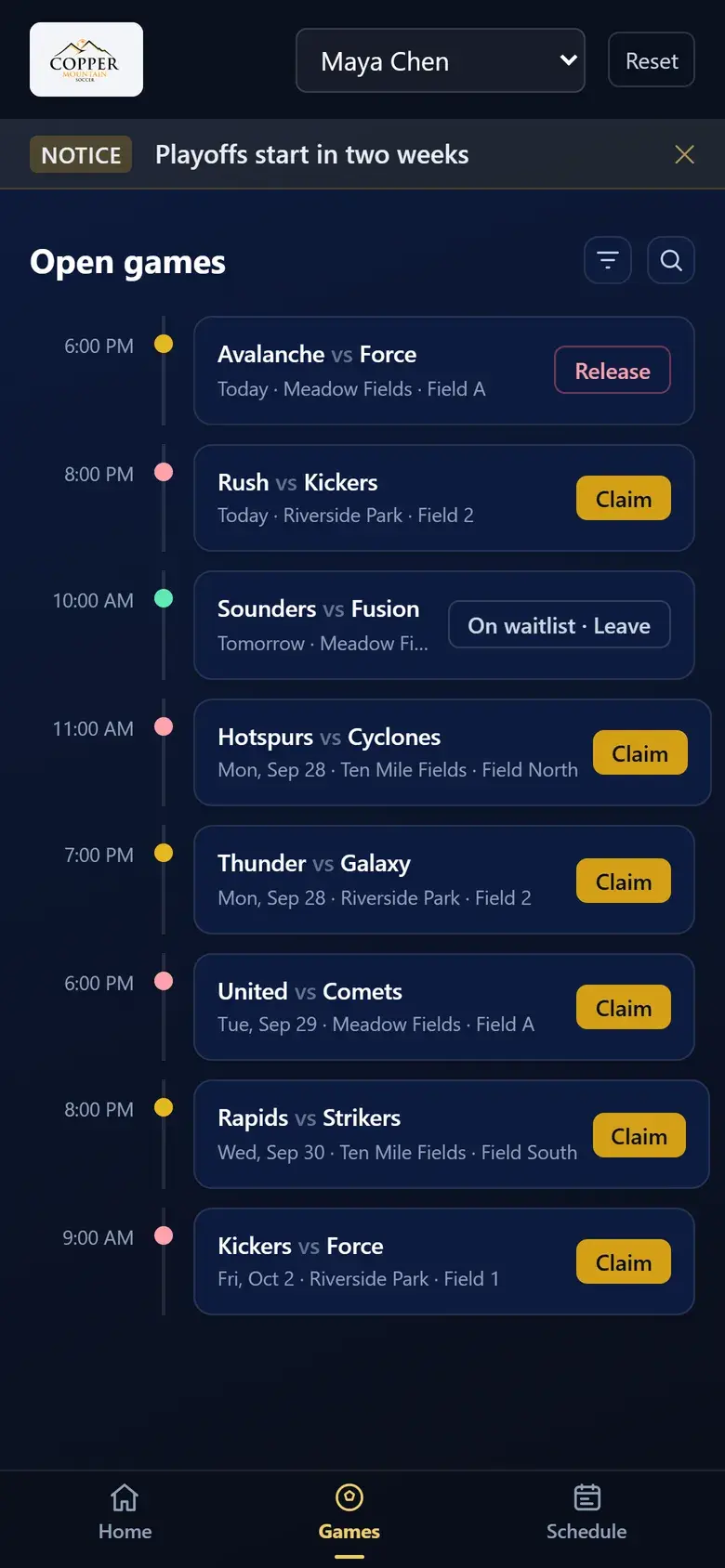
Open games list on a phone, as a timeline
A referee's own schedule with a release button
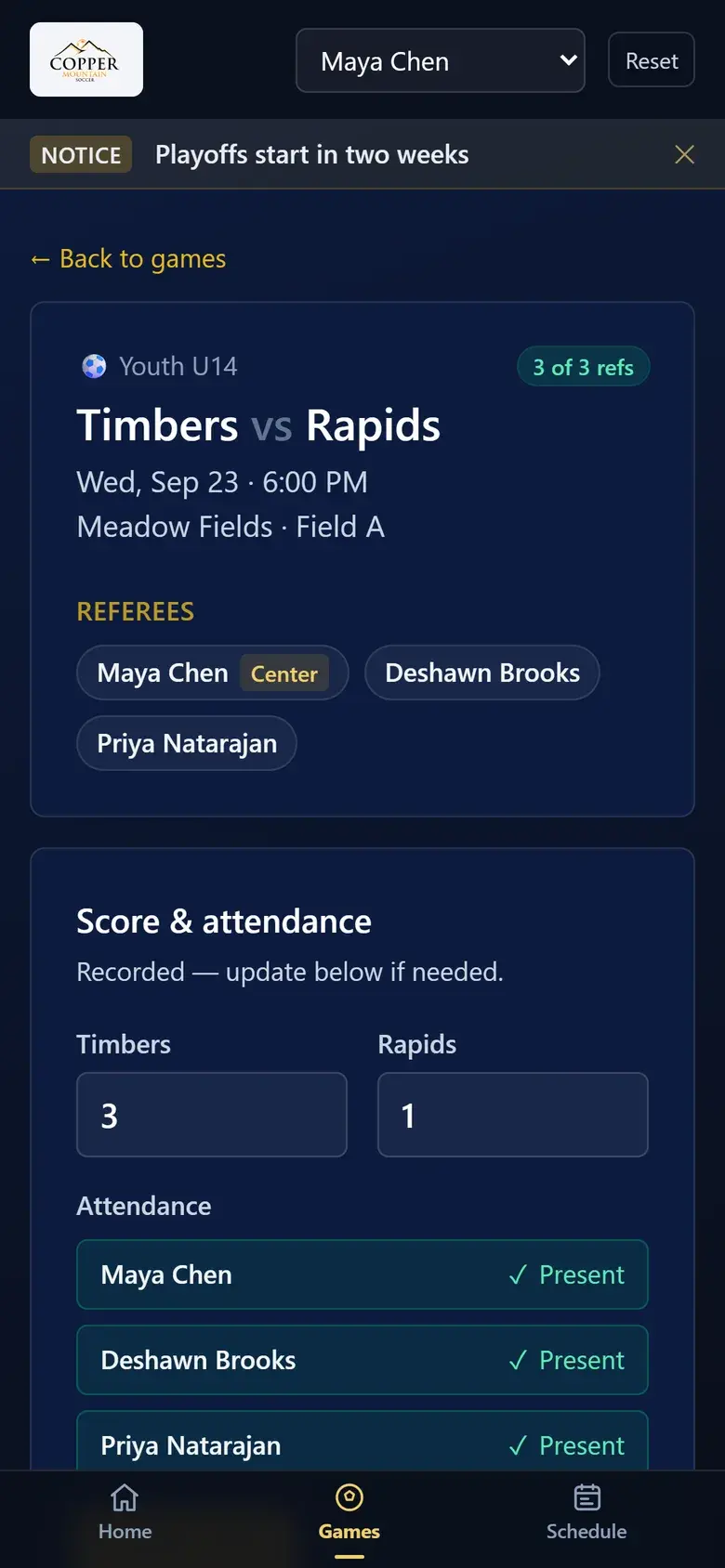
Game detail with score entry and attendance
The referee side: open games, my schedule, and score and attendance entry.

Product Experience

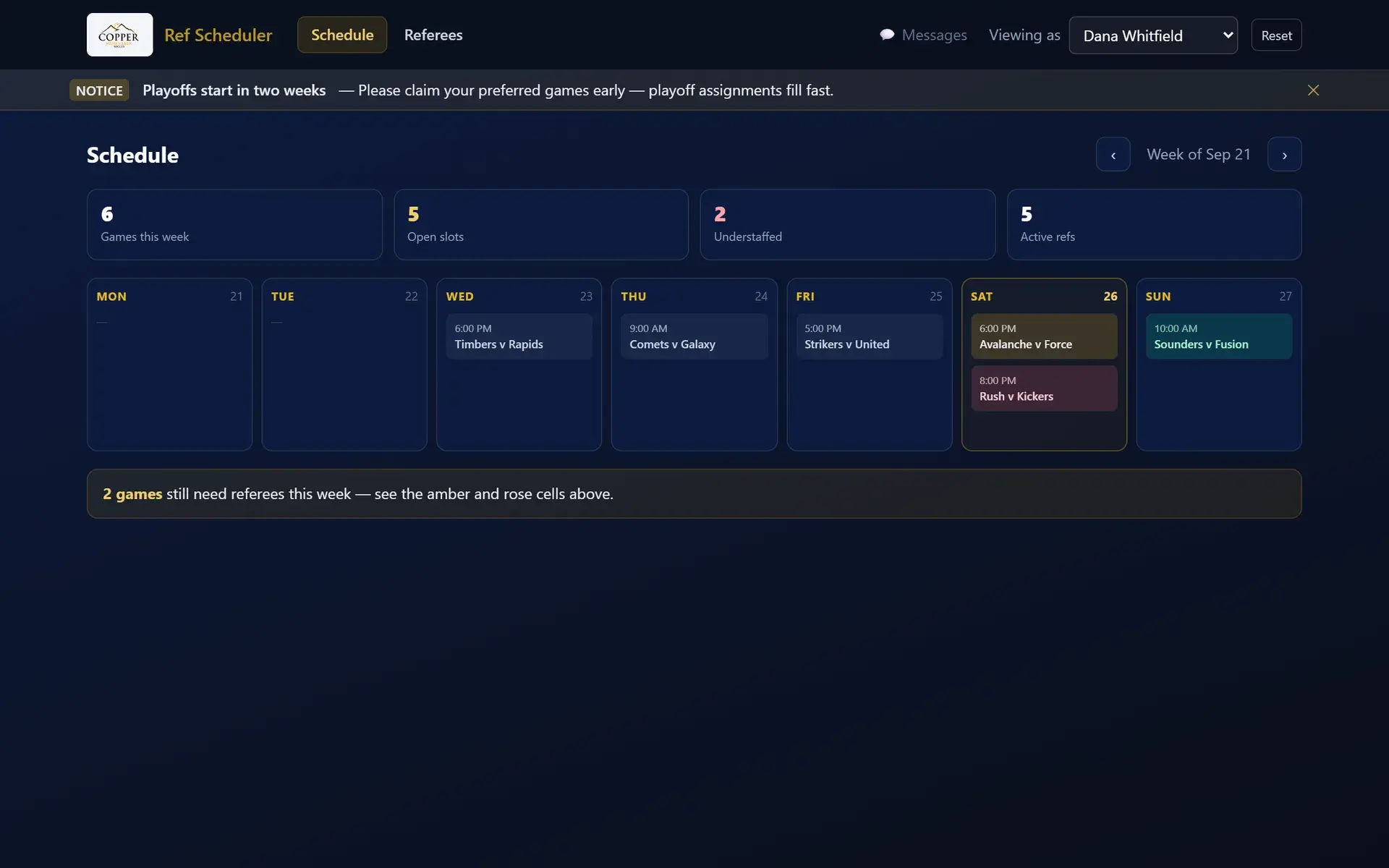
Weekly staffing calendar with understaffed games highlighted
The assignor's week. Games still short of referees are highlighted.
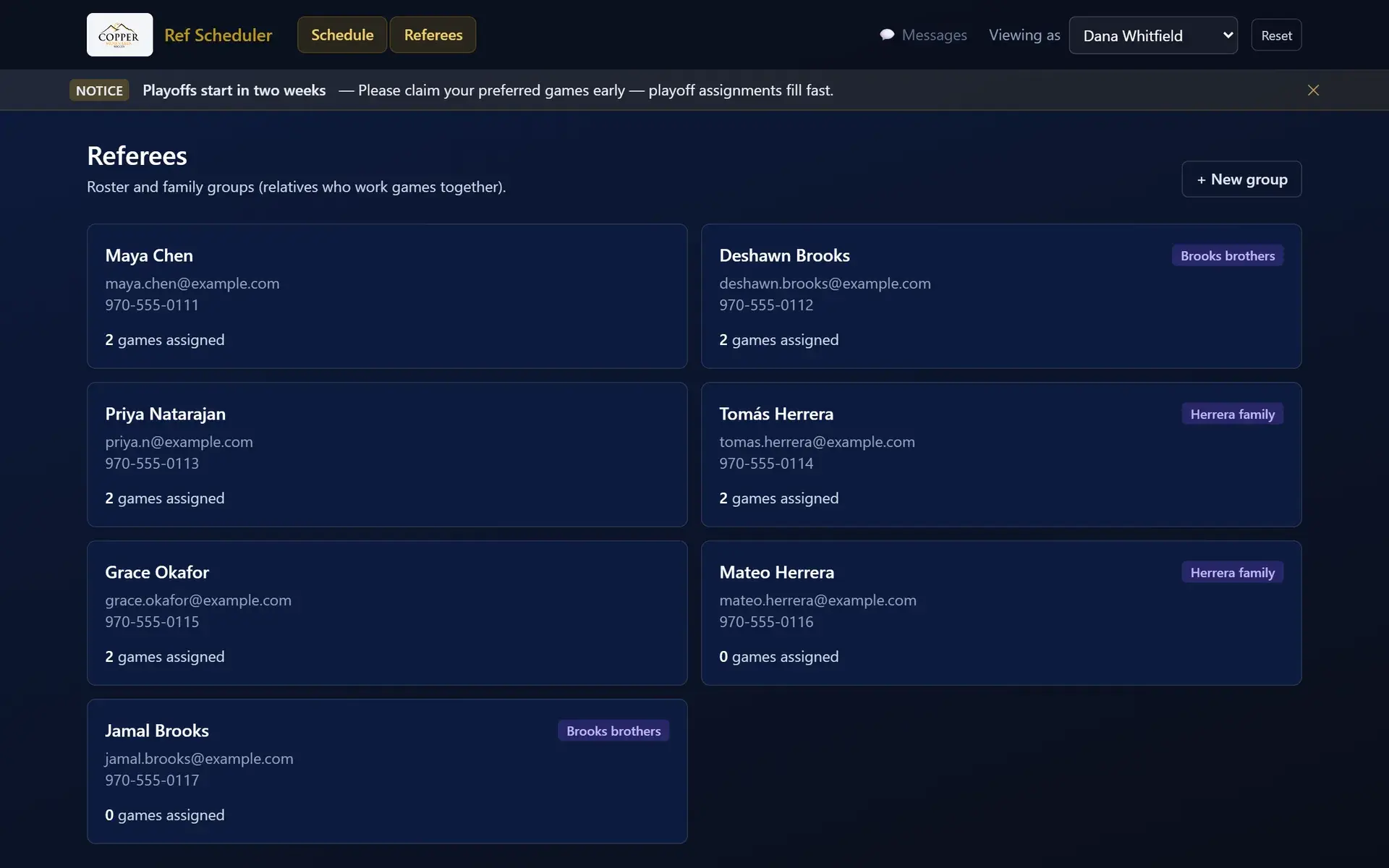
Referee roster with family groups
The referee roster, with family groups so relatives can work games together.

Technical Build

Next.js, TypeScript and Tailwind. For the prototype, data lives in the browser. It sits behind a data layer designed so a real database can be swapped in later without changing any screens.

Outcome

A working prototype Copper Mountain can click through and react to before we commit to a production build. Names and figures in these screenshots are sample data.

Let's Talk

What do you hate doing?

Tell us about the spreadsheet, manual process, disconnected system, repetitive task, or workflow that drives you nuts. We'll start there.

Bring Us a Problem →