

The Problem
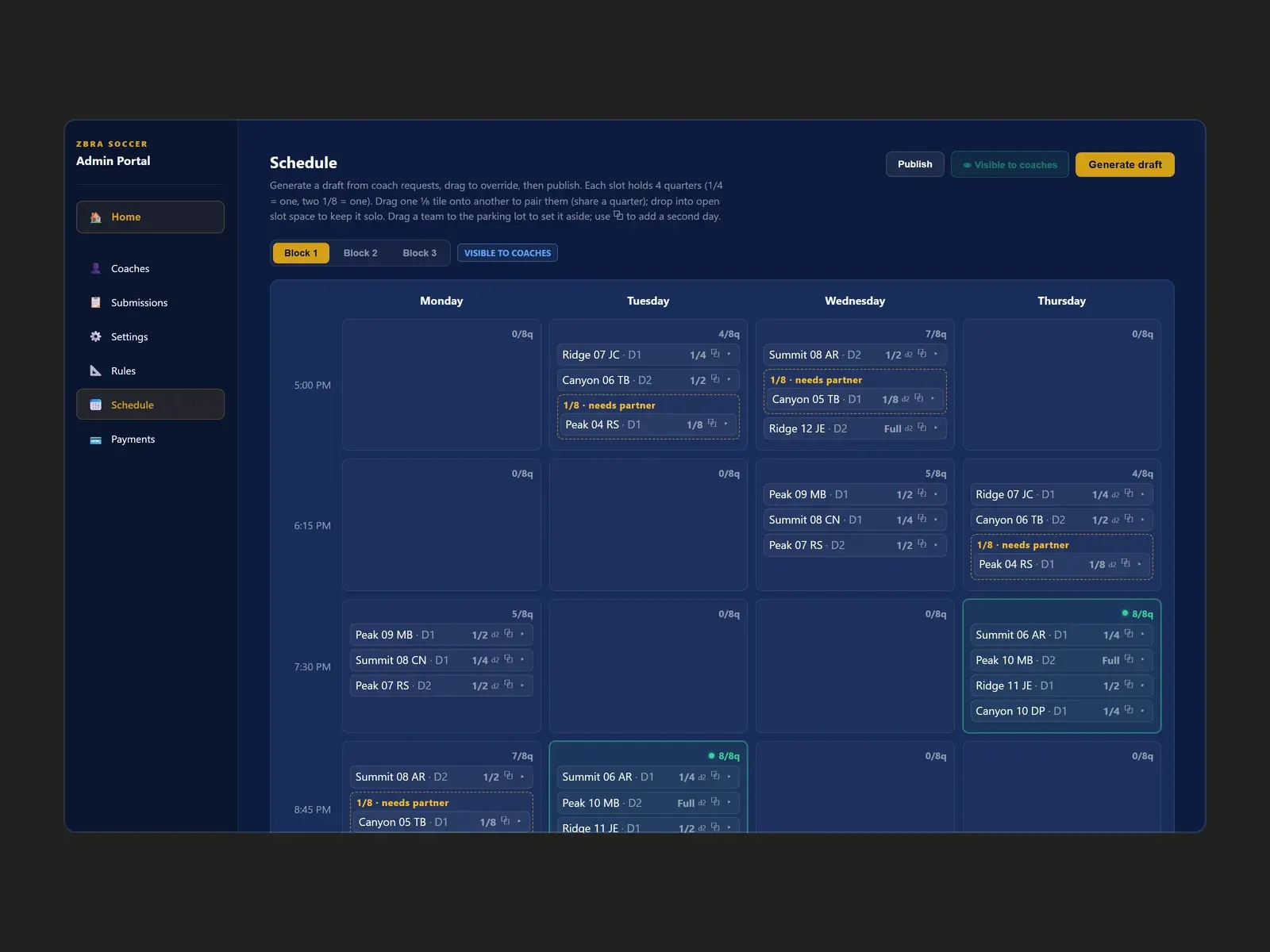
Each indoor season at Copper Mountain Soccer, dozens of teams compete for a limited number of field slots. Coaches sent their preferred times by email and text, and one person fitted them into a grid by hand, juggling field sizes, age groups, shared fields and billing.
The Approach

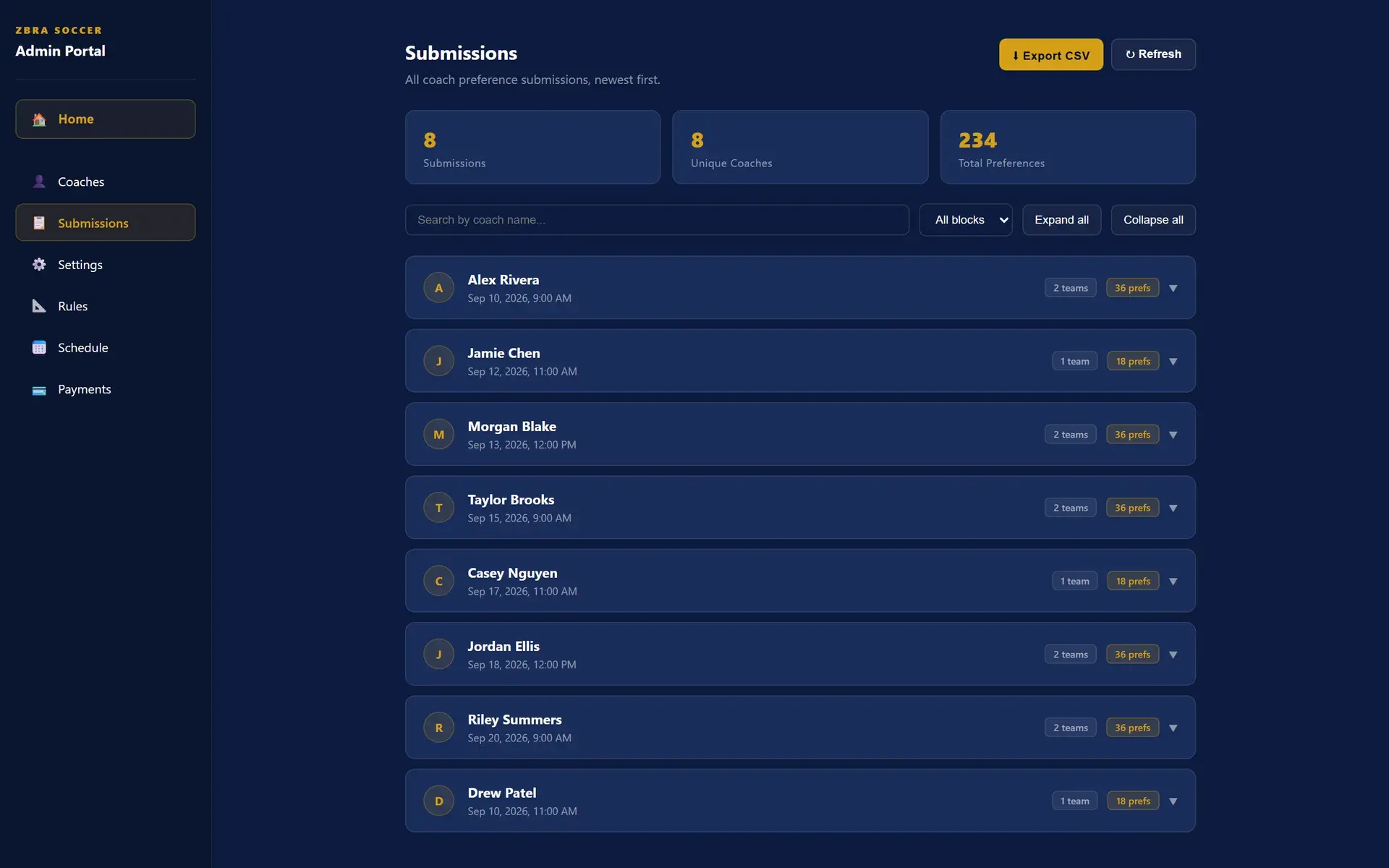
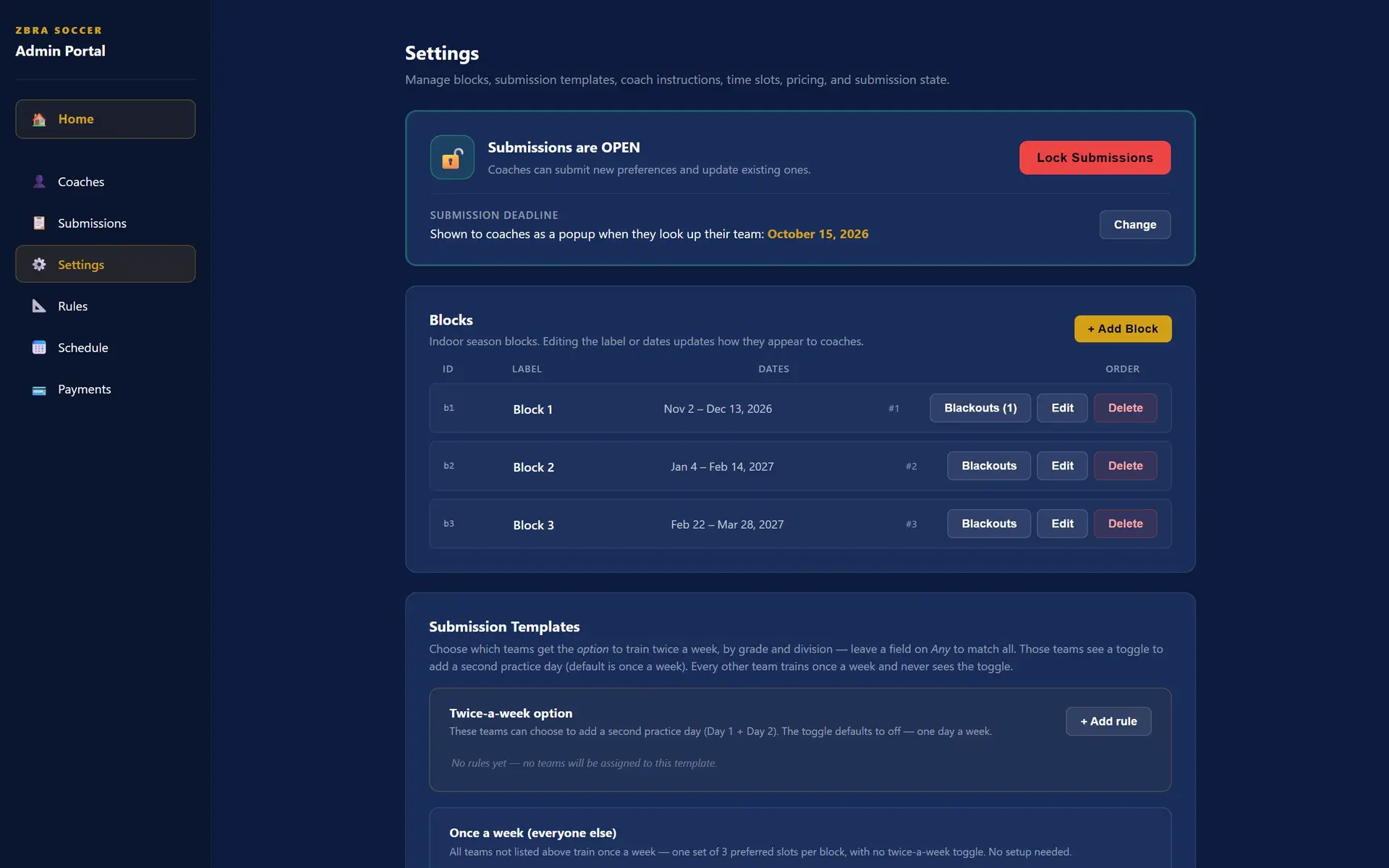
We split the job in two. Coaches get a simple form to rank their preferred days, times and field sizes for each block of the season. Admins get a scheduling workspace that turns those requests into a draft they can adjust and publish.
How It Works
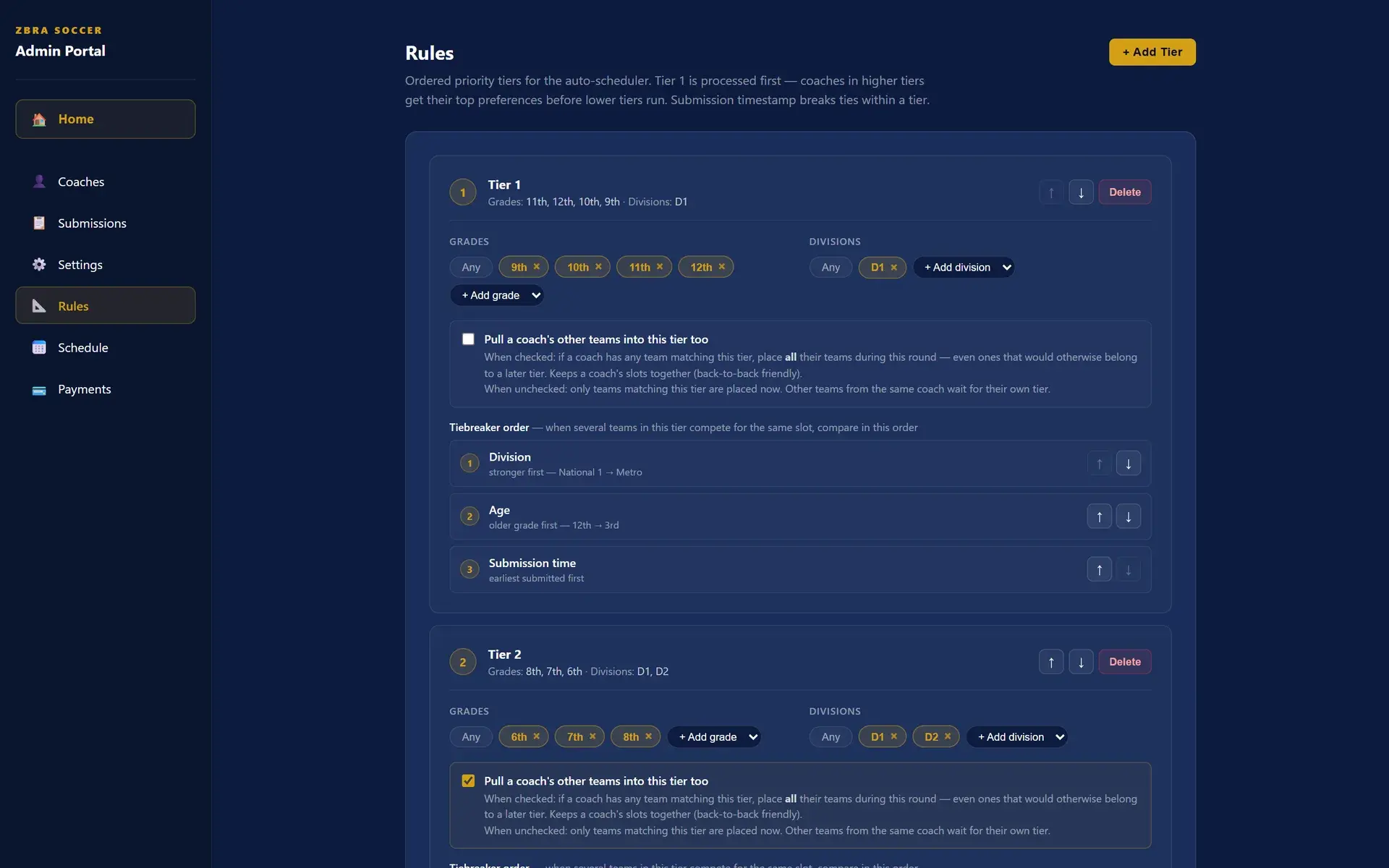
- Priority tiers. Admins decide who gets first pick, by grade and division, and how ties are broken: division, age, then who submitted first.
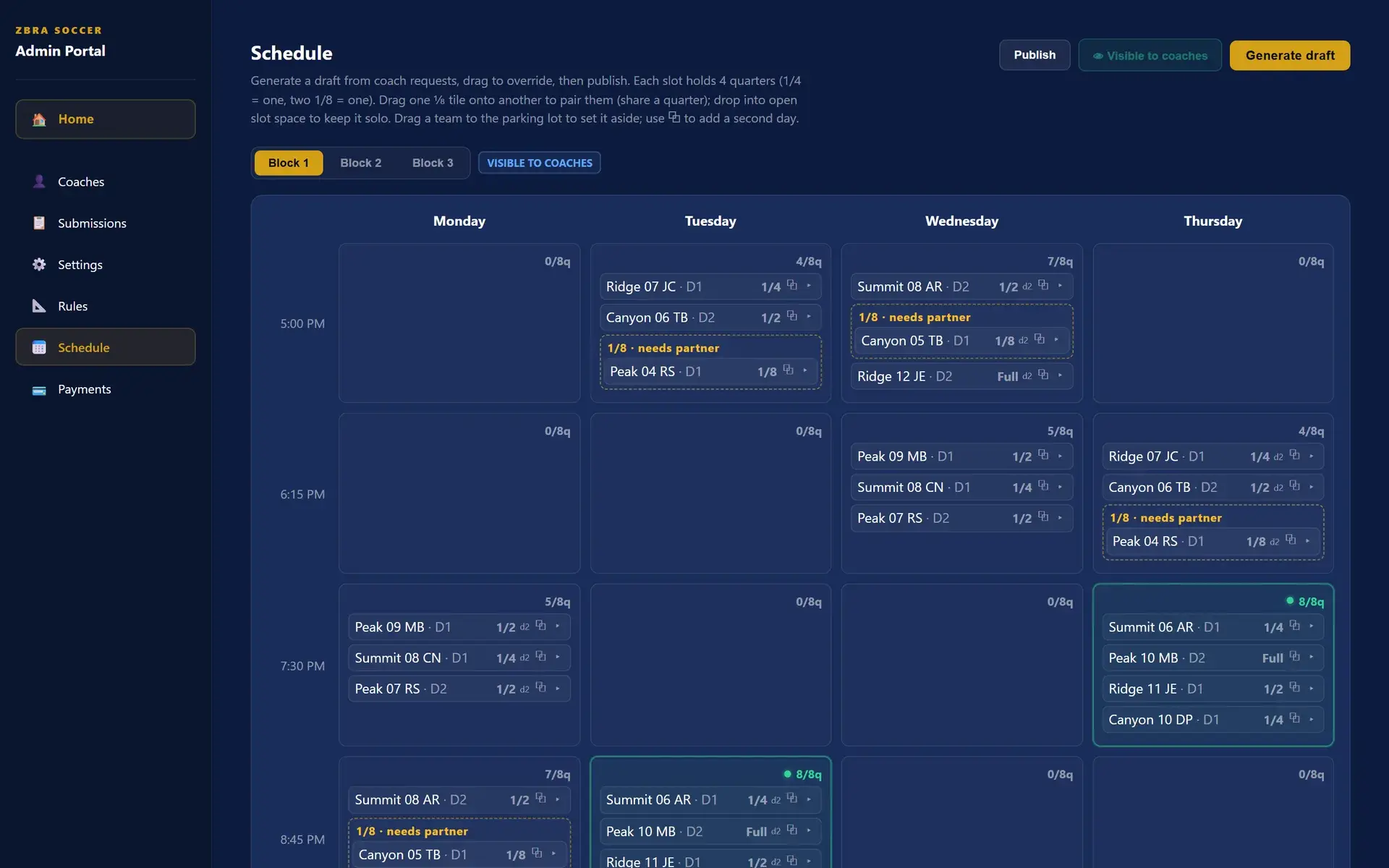
- Field-capacity logic. Each time slot has a fixed amount of field space. The scheduler knows that two eighth-field teams can share a quarter and that a full-field team takes the whole slot.
- Draft, adjust, publish. Generate a draft, drag tiles to override it, set teams aside in a parking lot, then publish to coaches. Billing is calculated automatically from the published schedule.
Product Experience
Technical Build
A React front end on Supabase (Postgres with row-level security), plus a small FastAPI service for admin-only operations. Coaches' rosters come in through a CSV import with a preview step. The scheduling logic has its own test suite, so changes to the rules can't quietly break it.
Outcome
Live and in use. Copper Mountain's coaches submit their requests in the app, and the indoor season is scheduled from them. Team and coach names in these screenshots are sample data.